
The scene journal
Sheru Bhai Ka Photo Kaise Banaye
Sheru Bhai ka photo kaise banaye? Choose a selfie and scene, then download your 9:16 portrait for WhatsApp Status, WeChat or Reels.
Last updated: 2026-11-20
Six settings. One unforgettable duo.
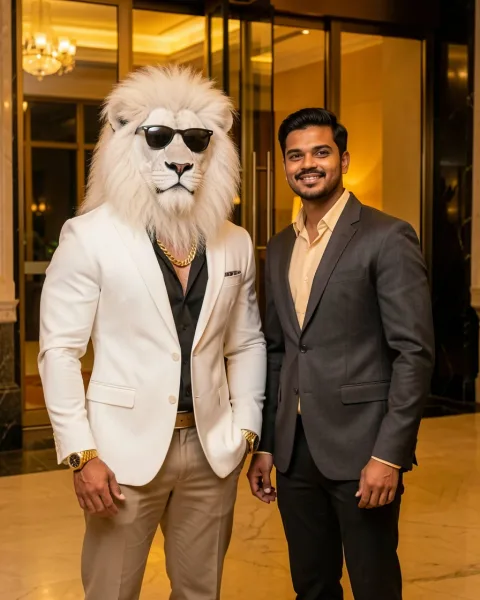
Hotel after dark
Glass doors at night, with warm light falling from behind.
Create in this scene →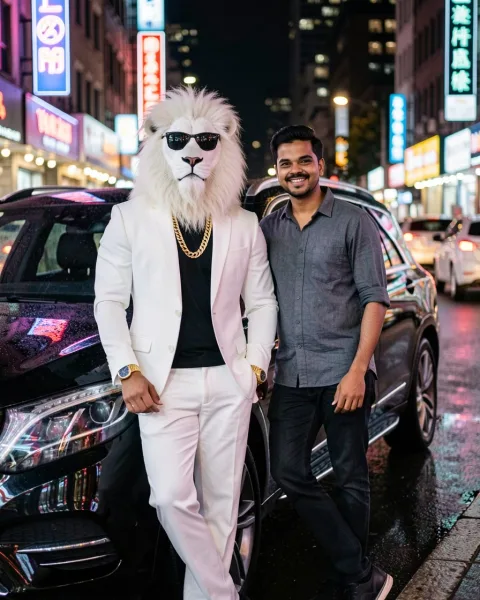
Supercar at midnight
A supercar under cold streetlights, reflected in wet pavement.
Create in this scene →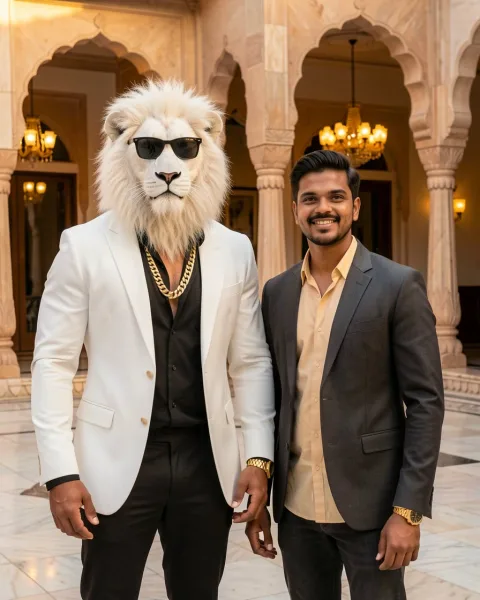
Palace red carpet
Red-carpeted steps and golden doors in the last light of day.
Create in this scene →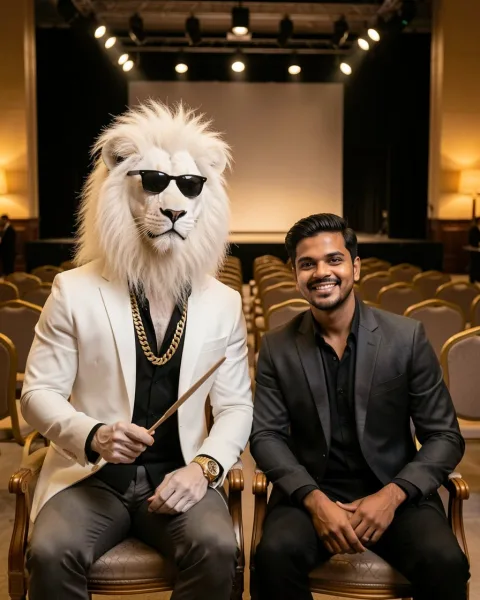
Auction night
Front-row seats, a bidding paddle and warm stage spotlights.
Create in this scene →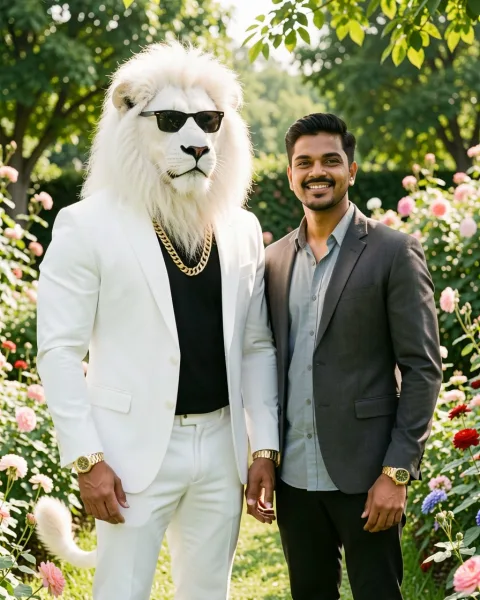
Golden-hour garden
Flowers, soft sunlight and an easy daytime portrait.
Create in this scene →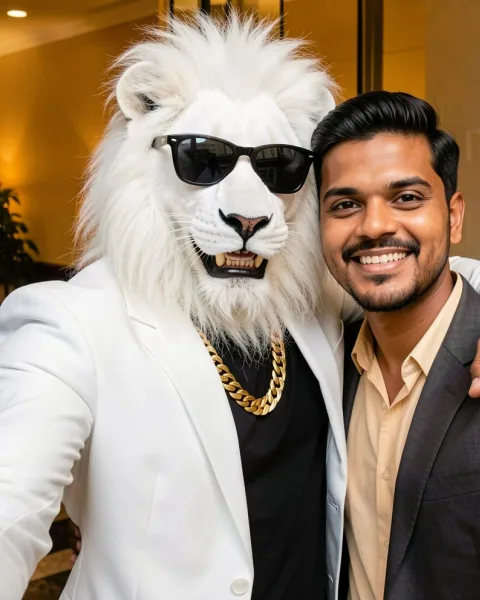
Close-up selfie
Arms around each other, both faces clear and in focus.
Create in this scene →What is a Sheru Bhai Ka Photo?
A Sheru Bhai photo is a viral AI portrait format. The uploaded selfie provides the human subject, while Sheru Bhai is a separate, upright white lion-headed character wearing a white blazer over a black shirt, sunglasses and a gold chain. The result is a fictional cinematic image, not a real meeting with a lion.
Start with the scene examples, then open the Sheru Bhai photo editor to frame your selfie. To work in another AI tool, use the Sheru Bhai prompt collection.
Sheru Bhai Ka Photo Kaise Banaye: four steps
- Choose a clear selfie. Use one adult face, good light and a straight-on angle. Avoid sunglasses, heavy filters and photos where the face is very small.
- Pick a scene. Choose hotel light, a supercar night street, a palace courtyard, an auction room, a sunny garden or a close-up selfie.
- Open the generator. Go to the photo studio, upload the selfie and select the scene that matches the mood you want.
- Review and download. Check the face, hands, clothing edges and background. If the identity feels unfamiliar, try a sharper selfie or another scene.
Sheru Bhai Ka Photo: what to expect
The generator uses your uploaded photo as the identity reference for the human subject. It should keep the human fully human and show exactly one human plus one Sheru Bhai character. Results can still vary in facial details, clothing, proportions and small background objects.
Use the sample images on this page to compare the six moods. The hotel and selfie scenes are strongest for close portraits, the supercar and auction scenes add more story, and the palace and garden options give you very different architecture and light. When you share the image, describe it as AI-generated so viewers understand the context.
Ready to make your own? Create your Sheru Bhai photo with one selfie.
Frequently asked questions
Sheru Bhai ka photo kaise banaye?
Open the photo generator, upload one clear selfie, choose a hotel, supercar, palace, auction, garden or selfie scene, and press generate. Review the face, hands and background before downloading the finished image.
Which format should I choose for my Sheru Bhai ka photo?
Choose 9:16 for a status or Reel, 4:5 for a feed post, or 1:1 for a profile photo.
Can I create just one Sheru Bhai photo?
Yes. The studio creates one image at a time. Eligible visitors can try one photo free; additional generations use credits.
Why does the face sometimes look different from my selfie?
AI image editing can preserve some facial features while changing others. A sharp, front-facing photo with even light gives the model a clearer reference. Always inspect the result before sharing it.
Can I download a 4K Sheru Bhai photo?
Yes. New 9:16 photos include a 1080 × 1920 JPEG and an upscaled 2160 × 3840 vertical JPEG from the same generation.
Put yourself in the picture
Bring one clear selfie. Choose from six scenes. Create your own portrait with Sheru.
Open photo studio